


As someone responsible for IT in a UK SMB today, you’re navigating a perfect storm: rising cyber threats, growing compliance pressure, ageing servers approaching end-of-life, and a board expecting you to “unlock AI” without increasing risk or cost. At some point, the same question lands on your desk: “Should we move to Azure or stay on-prem?”
It sounds simple, but it isn’t. Over the years, I’ve seen dozens of SMBs overpaying in Azure because they rushed in without governance, or staying on-prem too long and facing crippling replacement costs, outages, or compliance gaps. I’ve spent nearly a decade helping SMBs make sense of these decisions. Not by pushing cloud or defending on-prem, but by looking at what genuinely works for the business.
In this article, we’ll transparently compare Azure and on-prem — covering cost, compliance, performance, and complexity — and show how SMBs can make the best decision between the two without overspending or adding unnecessary risk.
–
What This blog Covers:
- Azure vs On-Prem at a Glance
- Cost & Budget Predictability
- Security, Compliance & Data Protection
- Performance & Reliability
- Hybrid Cloud: Ambitious or Achievable for SMBs?
- How to Choose: The 2025 Workload-First Framework
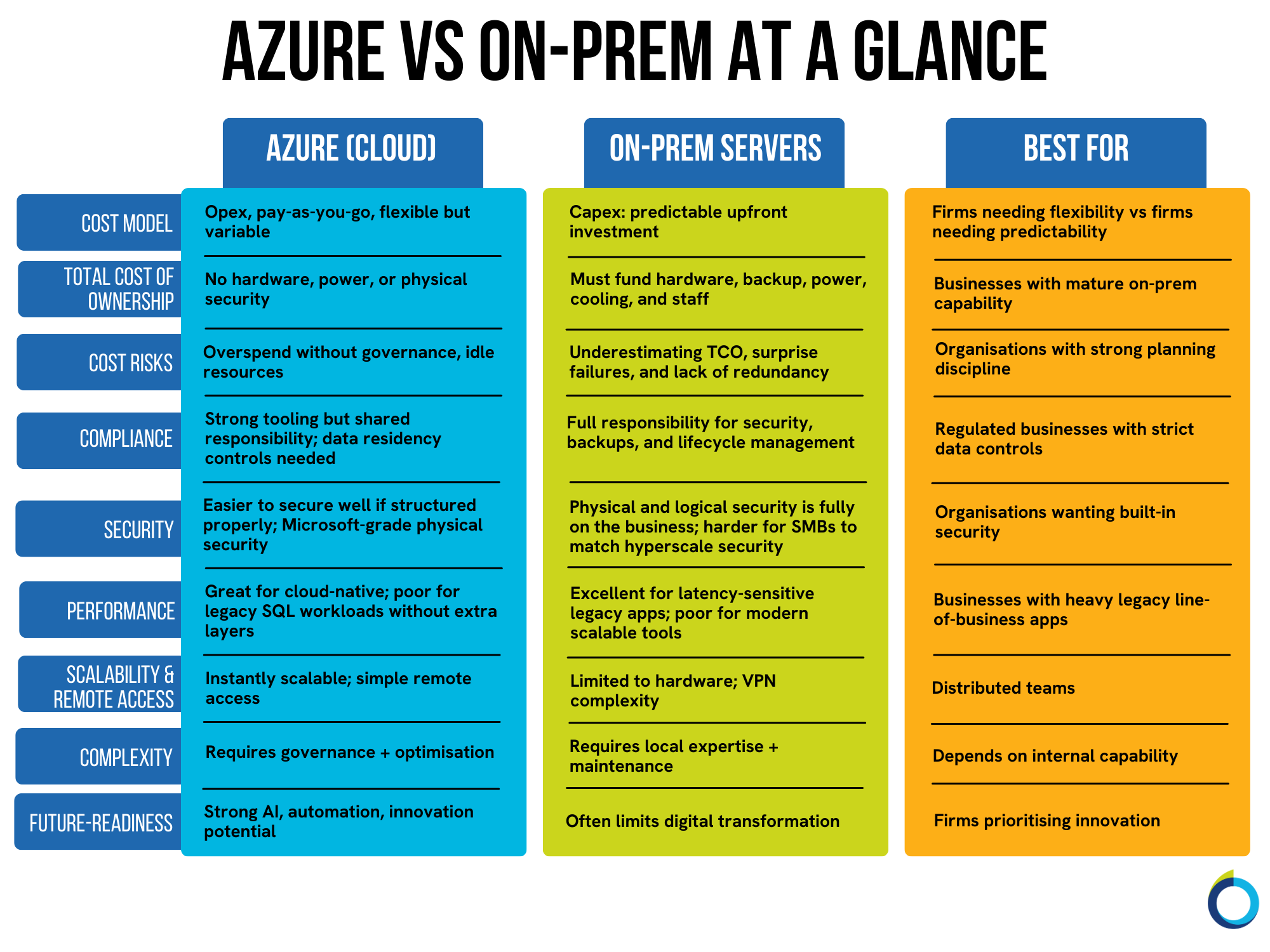
Cost & Budget Predictability: The Foundation of Your Infrastructure Decision
When it comes to deploying IT resources, cost is where most SMBs make their biggest mistakes because cloud introduces a new mindset that many aren’t prepared for.
Azure: Flexible, Powerful — and Costly Without Control
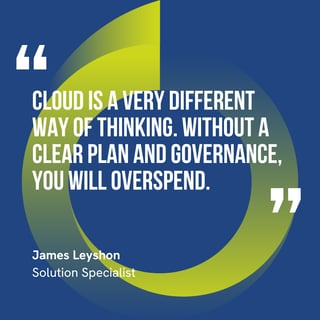 Azure gives you Opex flexibility, pay-as-you-go scalability, and access to enterprise-grade services without running hardware.
However, this introduces some risks if it remains unmanaged. More specifically:
- Idle or oversized virtual machines (VMs)
- Forgotten project environments
- Untagged resources are lacking a clear purpose and are unlinked to cost centres within the business.
- No monthly governance review
- “Just spin it up quickly” approach, whereby speed of adoption and lack of planning preclude proper architecture and right-sizing of resources.
And because SMBs have less room for error, they face the same challenges as enterprises (but with much tighter budgets).
On-Prem: Traditional, Upfront Investment, Fully Your Responsibility
On-prem feels safe because it’s often seen as the traditional solution to hosting your workloads. However, the total cost of ownership (TCO) is not just buying a server. True on-prem TCO includes:
- Hardware
- Power and cooling
- Backup infrastructure & networking
- Physical security
- Cyber security
- Staff to maintain it
- Redundancy planning
- Replacement cycles
SMBs often don’t have redundant on-premises environments, so outages hit them much harder. An on-premises setup is rarely as resilient or fault-tolerant as a well-architected cloud infrastructure. Make sure your TCO discussions take this into account!
EOL Deadlines: Why “We’ll Sort It Later” Becomes Expensive
Here’s something crucial to be aware of: Windows Server 2016 goes end-of-life in January 2027. Many SMBs still rely on this OS and should be planning to mitigate the impact of this deadline already, just like so many businesses have had to with the recent Windows 10 End of Life.
Security, Compliance & Data Protection: Data Sovereignty & The Policies That Shape Your Platform Choices
You may think that your industry compliance requirements mean that your data is better off kept on-premises. Whilst controlling data residence is essential, many SMBs may under-utilise cloud platforms because they don’t realise that many cloud platforms give you a lot of control over where your data is stored.
A prime example is GDPR. Storing data outside of the UK/EU isn’t allowed under GDPR, so keeping data on-premises in your UK offices is certainly an option. However, where are the cloud backups of these servers being stored? Make sure you have this angle covered.
Cloud platforms such as Microsoft 365 and Azure give you full control over your data residence, with Azure in particular giving you a choice of location across 2 UK regions and 60+ global regions on a per-resource basis. With great choice comes great responsibility!
Data Lifecycle Management
Another commonly overlooked aspect is that retention or deletion rules are much harder to enforce on-prem than in the cloud – many cloud platforms have these features built in, but you may require additional tooling to achieve the same control over your data on-premises.
Why Non-Compliance Isn’t an Option
We mention compliance a lot because fines don’t scale down just because you’re an SMB rather than an Enterprise. A 5-person FCA-regulated business could still face a £20m penalty for non-compliance!
And the consequences go beyond fines. You’re looking at loss of customer trust, reputational damage and challenges maintaining accreditations (such as Cyber Essentials and ISO 27001). All of which could bring just about any business to its knees.
Azure: Strong Security, Shared Responsibility
Azure offers:
- Industry-leading physical security
- Strong identity and access control
- Compliance frameworks
- Geographic data control
But (and I cannot stress this enough), you need to be very clear about your compliance requirements before adopting Azure.
On-Prem: Full Control, Full Risk
On-prem gives you full data autonomy, so to speak, but all the responsibility falls on you. In other words, you have to manage all backups, patching, physical security, resilience and disaster recovery. The truth is, not many SMBs can afford the physical security Microsoft has.
Performance & Reliability: Matching Workloads to the Right Platform
When it comes to optimal efficiency, my advice is simple: take a workload-level approach and put workloads where they work best. As a platform, Azure is hugely capable and can run just about any workload; however, that doesn’t mean that SMBs can run their applications cost-effectively.
Legacy Workloads Struggle in Azure
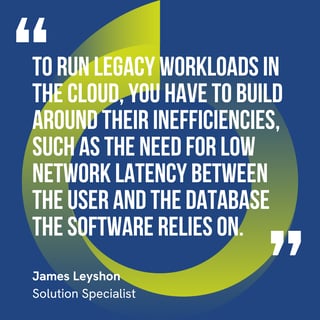 Examples include:
- Legacy Microsoft SQL systems
- ERP systems
- Old accounting software
- Practice management tools
These apps often require low-latency access, remote desktop/VDI layers, and additional networking investment.
That’s not to say it can’t be done. I’ve overseen many successful cloud adoptions that leverage, for example, Azure Virtual Desktop to access legacy ERP software, but it’s important to be aware of the additional steps that are required to make these older applications work.
Modern Workloads Struggle On-Prem
Running modern applications on an on-premises environment can be difficult because these workloads require scalability and elasticity to handle variable demand, secure web-based access and stable high-performance connectivity, all of which add to your infrastructure requirements and complexity.
Hybrid Cloud: Ambitious or Achievable?
If you’re using on-prem servers and Microsoft 365, you’re already a hybrid cloud organisation. Hybrid isn’t an enterprise-only strategy: it’s a fairly common approach many SMBs have already adopted.
Do many SMBs require both on-premises and Azure servers, though? Probably not. Often, these businesses do not have the scale or number of workloads required to warrant investment in both. Instead, you should plan effectively, make an informed decision one way or the other, and let Software as a Service (SaaS) tools such as Microsoft 365 fill in the gaps.
If you do explore a Hybrid Cloud approach, it can add complexity, but with the right partner and planning, deployment can be streamlined, workloads will be intentionally and intelligently placed, and the best of both worlds can be achieved.
Hybrid helps you:
- Sweat existing assets
- Modernise safely
- Move at your own pace.
- Reduce cost risk.
- Avoid “all-in” commitments.
- Manage legacy and modern workloads simultaneously and in optimal environments.
How to Choose: The Workload-First Framework
Here are the key factors SMBs must consider when deciding between Azure and on-prem:
1. Your current infrastructure’s lifecycle
Know when servers, OSs, and apps go end-of-life — and plan ahead.
(Remember: Windows Server 2016 ends in January 2027)
2. Your regulatory requirements
- Data residency
- Retention
- Deletion
- Industry-specific rules
- FCA or other industry body expectations
Compliance must shape the environment, not the other way around.
3. Your application landscape
Something I see far too often is that vendors offer cloud versions to their on-premises applications that are expensive and not feature-complete.
SMBs need to:
- Keep legacy apps, but run them securely, often without being able to update the software or platform they run on
- Have alternatives to rushing into immature SaaS solutions that don’t match up to your existing business processes, or allow you to port over years of legacy data or custom integrations.
- Adopt cost-effective solutions to meet business needs without breaking the bank.
- Use trusted partners to bridge skills gaps and keep up to date with industry developments, allowing them to make informed decisions.
Consider all of your options before jumping headfirst into vendor cloud/SaaS options for your on-premises workloads!
4. Your internal capability
Azure needs governance.
On-prem needs engineering depth.
Most SMBs need a partner for either route.
5. Your AI and modernisation ambitions
You don’t want to be held back by IT: the right environment enables innovation. AI is everywhere, and making sure your data is well-governed and structured and accessible for your AI tool du jour is essential for a successful adoption.
Successful AI adoption requires:
- Centralised data
- Secure platforms
- Modern infrastructure
The wrong platform delays everything. Keeping all of your files on-premises will prevent you from realising the value of Microsoft 365 Copilot, for example.
Let’s Make Sure Your Next Move Is the Right One
You don’t have to choose Azure or on-prem. You need a structure that aligns with how your business actually works. When you map workloads properly — instead of rushing into all-cloud or all-on-prem — things become clearer, more cost-effective and far less risky.
The real danger for SMBs isn’t choosing the wrong platform. It’s choosing it for the wrong reasons: rushing because of end-of-life deadlines, assuming cloud is always cheaper, or believing on-prem is inherently more secure or compliant.
If there’s one piece of advice I’d encourage you to take from this Microsoft-certified Azure Solutions Architect, it’s this: put the workload where it works best. Then plan ahead so you’re never forced into expensive, reactive decisions.
I get it, this is all much simpler in theory – which is why I’m here to help. Get in touch with me, and we’ll have a chat about how you can reduce cost risk, strengthen compliance, and build an infrastructure ready for AI and growth.



SecureCall: The Best-in-Class Way to Take PCI-Compliant Phone Payments


What is Cloud Computing and How Does It Work?


Are Your Phone Payments PCI Compliant? Here’s How to Know